Build a D&D 5e character from concept to table-ready sheet
Start with the adventurer you want to play, then make the choices that turn that idea into a playable character: class, race, background, ability scores, proficiencies, spells, and equipment. Natural Zero keeps those choices together, calculates the sheet, and lets you save or export it for play.
Build your character now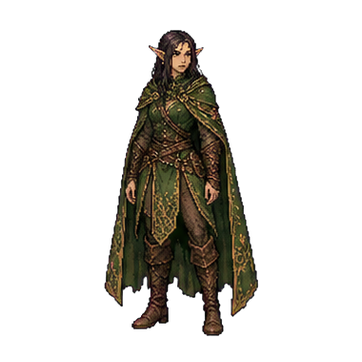

Use your saved sheet in D&D 5e Combat Copilot
Once your character is ready, Combat Copilot carries the choices from the sheet into play. Follow actions, bonus actions, reactions, spell slots, concentration, class resources, hit points, and active effects without rebuilding the character.
What can you make in Natural Zero?
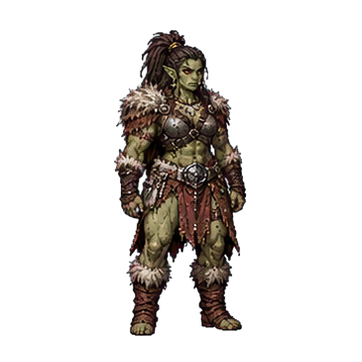
The builder covers levels 1–20 and follows the 2014 D&D fifth-edition Basic Rules model. It includes the core races and classes, backgrounds, 27-point buy, level-based Ability Score Improvements, skill and language choices, class features and spells through level 20, equipment, armor class, hit points, attack options, visual avatars, saved sheets, and styled PDF export.
Campaign rules can differ, so your Dungeon Master always has the final word on available options, house rules, starting level, and equipment.
What is the easiest order for building your character?
- Choose a class. Your class determines your main abilities, hit die, saving throws, proficiencies, and level progression.
- Choose a race and subrace. This adds traits, speed, languages, size, and ability-score increases under the 2014 rules.
- Assign ability scores. Spend the 27-point budget on Strength, Dexterity, Constitution, Intelligence, Wisdom, and Charisma.
- Add a background and proficiencies. Choose the legal skills and languages shown by the builder and add the story behind the statistics.
- Select and equip gear. Carrying an item and equipping it are different: equipped armor, shields, and weapons change the finished sheet.
- Review attacks and save. Check armor class, hit points, to-hit modifiers, damage rolls, and spell choices before saving or exporting.
How does 27-point buy work?
Every ability begins at 8. Raising scores costs points, with scores of 14 and 15 costing more than earlier increases. You have 27 points total, and 15 is the maximum before racial increases. Natural Zero prevents overspending and displays the final modifier after bonuses.
Check the official point-cost tableHow are attacks and damage calculated?
A proficient weapon attack normally combines the relevant ability modifier with proficiency for the to-hit bonus. A hit rolls the weapon’s damage die and usually adds the relevant ability modifier. Natural Zero shows both values for the equipment you have actually equipped.
Read the official combat rulesHow are armor class and equipment handled?
Armor sets a base Armor Class, Dexterity can modify it depending on armor type, and an equipped shield normally adds its own benefit. Your class also determines which equipment you can use proficiently.
Read the official equipment rulesCan you save or export the finished sheet?
Yes. You can build and export a styled PDF without an account. Creating an account lets you save multiple characters online and reopen them from the My Characters menu.
Open the Natural Zero builderHow can you track combat, spell slots, and concentration?
Natural Zero Combat Copilot is an optional companion for saved characters. It keeps actions, bonus actions, reactions, spell slots, Pact Magic, concentration, class resources, hit points, and active effects together during combat.
Explore Natural Zero Combat CopilotWhere can you check the source rules?
These official resources provide the full context behind the summaries and calculations used by the builder.